How to use Instagram profile recommendations?
After searching for an Instagram profile, Allen analyzes the account and generates actionable recommendations — content ideas, engagement strategies, and growth tips tailored to that profile.
You can find this in the menu: Sidebar > AI Marketing > Recommendations
Before you start
- You are signed in to your Allen account.
- You have searched for at least one Instagram profile using IG Search.
Follow these steps
Open the Recommendations page
In your sidebar, click Recommendations under the AI Marketing section.
You should see: You see a list of profiles you've previously searched, along with their recommendation status.
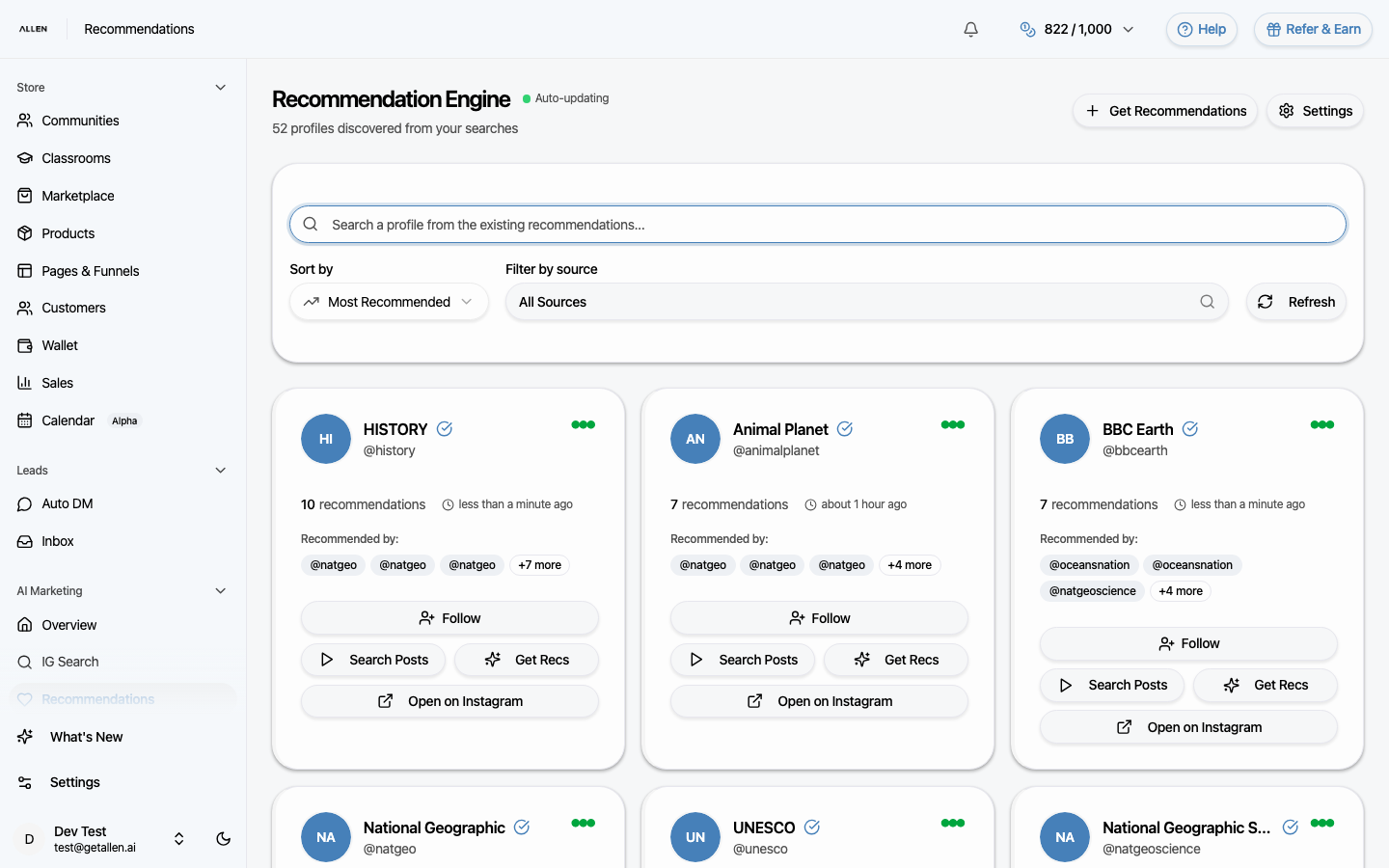
Select a profile
Click on any profile from the list to open its recommendation report. Allen shows content suggestions, engagement tips, and growth strategies based on that profile's posts, audience, and niche.
You should see: You see a detailed breakdown with specific, actionable recommendations.
Apply what you learn
Use the recommendations to guide your own content strategy. You can reference these insights when creating personas, writing content with AI tools, or planning email campaigns.
You should see: You have clear next steps for improving your Instagram or marketing strategy.
Common questions
How do recommendations get generated?
When you search for an Instagram profile in IG Search, Allen automatically analyzes the data and creates recommendations. They appear on this page once ready.
Can I get recommendations for my own profile?
Yes. Search for your own Instagram handle in IG Search and Allen will analyze your content the same way.
How do I get updated recommendations?
Run a new search for the same profile in IG Search. Allen will generate a fresh set of recommendations.